MTE Relay control plane
The control plane is an optional management service for a fleet of MTE Relay
v5 workers. It is the same container image as the relay, started with
MODE=control, and it serves a web admin panel and a JSON API. You enter the
license and hosts once, and every worker picks the configuration up without a
restart. The panel's API is documented on the
Control Plane API page.
Everything here applies to MTE Relay Server (MRS) and MTE API Relay (MAR) alike. The stored configuration is global to one control plane, so every worker that polls it receives the same document. Run one control plane per fleet, and do not share one between an MRS fleet and an MAR fleet.
How it works
- Workers poll. Each worker sends
GET /api/pollabout every 3 seconds, with 20 percent jitter, carrying the version it last received and, in its heartbeat headers, the version it applied. When nothing changed the answer is a header only304. The same poll carries the worker's heartbeat, which is what the Fleet page shows. There is no separate registration step. - Sparse overrides. The control plane stores only the settings you set. On each worker a setting resolves in this order: control plane override, then the worker's environment variable, then the built in default. Removing an override returns each worker to its own baseline.
- Live and restart fields.
DOMAIN_MAP,LOG_LEVEL,MAX_REQUEST_BODY_MIB,MAX_CONTROL_BODY_MIB,FORWARD_HEADERS, andHEALTH_CHECK_PATHapply within one poll interval. Every other setting is stored at once and applied the next time each worker starts. See Live versus restart fields. - Workers can start empty. A worker started with only
CONTROL_PLANE_URLandCONTROL_PLANE_TOKENregisters and waits in thewaiting_for_configurationphase. Its liveness probe answers200, its readiness probe answers503, and its relay port is not bound yet. The first saved configuration with at least one host starts it. - An environment baseline still works. A worker that also carries a valid
DOMAIN_MAPin its environment waits up to 5 seconds for the control plane at boot, then serves from its environment until a stored document arrives. - Fail safe. When the control plane is down, workers keep serving their last
applied configuration. A worker that receives a document it cannot validate
keeps its current configuration and reports the error in its heartbeat.
Removing every host is a valid state. Workers without a
DOMAIN_MAPin their environment refuse new requests, withdraw readiness in thewaiting_for_routesphase, and resume without a restart when a host is added back. Workers that have one fall back to it.
Deploy with Docker Compose
One shared token connects the two sides. The control plane refuses to start
without CONTROL_PLANE_TOKEN, and each worker sends it on every poll.
The on premise pages walk through a control plane and a worker on Docker
Compose step by step, from the Compose file to the first sign in, the setup
wizard, a live change, and the changes for a server: for
MTE Relay Server and for
MTE API Relay.
The worker in those files carries no DOMAIN_MAP; it waits until you save the
first configuration in the panel. The image is distroless, so a Compose
healthcheck cannot run inside it; anything outside the container checks
GET /readyz on the probe port.
Deploy on Kubernetes
The control plane is a single replica Deployment with a PersistentVolumeClaim, and workers carry only the bootstrap settings. The complete manifests, with the image pull secret, the probes, and the port forward to the panel, are on the on premise pages: for MTE Relay Server and for MTE API Relay.
Three facts from those manifests matter on every cluster:
- Worker readiness is
GET /readyzon the probe port:503while the worker waits and200once its configuration is active, so Kubernetes keeps waiting workers out of the Service without restarting them. Liveness isGET /healthzon the same port and stays200while the worker waits. Do not point liveness at readiness, and do not probe the relay port before setup, because it is not bound until the first configuration arrives. The control plane's ownGET /healthzreveals nothing but liveness. replicas: 1andstrategy: type: Recreateon the control plane matter. The stored configuration is one file written by one process, and a rolling update would briefly run two control planes against the same volume.- On OpenShift, remove the
fsGroupline: therestricted-v2security context constraint assigns its own user and group, and the control plane writes its volume under them. Reach the panel withoc port-forwardinstead of a public route.
Deploy on Docker Swarm
Swarm needs two things the other runtimes do not. Pin the control plane to one
node, because a named volume lives on the node that created it. And publish the
panel port in host mode, so it binds only on that node instead of on every
node of the routing mesh. user: "0:0" is there for the same reason as on
Compose; see
The configuration volume
for the unprivileged alternative.
services:
  control-plane:
    image: 321186633847.dkr.ecr.us-east-1.amazonaws.com/customer/on-prem/mte-relay-server:5.0.5
    user: "0:0"
    environment:
      MODE: control
      LISTEN_PORT: "8081"
      CONTROL_PLANE_TOKEN: __YOUR_SHARED_WORKER_TOKEN__ # Update this value!
      ADMIN_PW: __YOUR_ADMIN_PASSWORD__ # Update this value!
      CONTROL_PLANE_DATA_DIR: /data
      CONTROL_PLANE_SETUP_HINTS: '{"REDIS_URL":"redis://redis:6379"}'
    volumes:
      - ./data:/data
    ports:
      - target: 8081
        published: 8081
        mode: host
    networks:
      - relay
    deploy:
      replicas: 1 # never more than one
      placement:
        constraints:
          - node.hostname == __YOUR_CONTROL_PLANE_NODE__ # Update this value!
      update_config:
        order: stop-first

  relay:
    image: 321186633847.dkr.ecr.us-east-1.amazonaws.com/customer/on-prem/mte-relay-server:5.0.5
    environment:
      CONTROL_PLANE_URL: http://control-plane:8081
      CONTROL_PLANE_TOKEN: __YOUR_SHARED_WORKER_TOKEN__ # Must match the control plane
    ports:
      - "8080:8080"
    networks:
      - relay
    deploy:
      replicas: 3

  redis:
    image: redis:7.2
    networks:
      - relay

networks:
  relay:
    driver: overlay

volumes:
  control-plane-data:
docker stack deploy -c mte-relay-stack.yml mte-relay
docker service update --force mte-relay_relay   # later, to apply restart fields
The relay reads its settings from environment variables, so a Swarm secret,
which arrives as a file, cannot supply CONTROL_PLANE_TOKEN or ADMIN_PW.
Keep the stack file readable only by the operators who deploy it.
Deploy on Amazon ECS
The control plane is an ECS service with one task and an Amazon EFS volume, the relay service reaches it through ECS Service Connect, and the shared secrets come from SSM Parameter Store. The AWS pages walk through it end to end with the AWS Marketplace image: for MTE Relay Server and for MTE API Relay.
Three facts from that walkthrough matter on every ECS cluster:
- Run one control plane task with
minimumHealthyPercent=0andmaximumPercent=100, the ECS form ofstrategy: type: Recreate. - The image runs as user 65532, so mount
CONTROL_PLANE_DATA_DIRfrom an EFS access point that creates its directory owned by that user. See Where the control plane keeps its settings. - Behind Service Connect, the Fleet page shows every worker's address as
127.0.0.1, because the proxy forwards each poll. Tell workers apart by hostname.
First sign in and the setup wizard
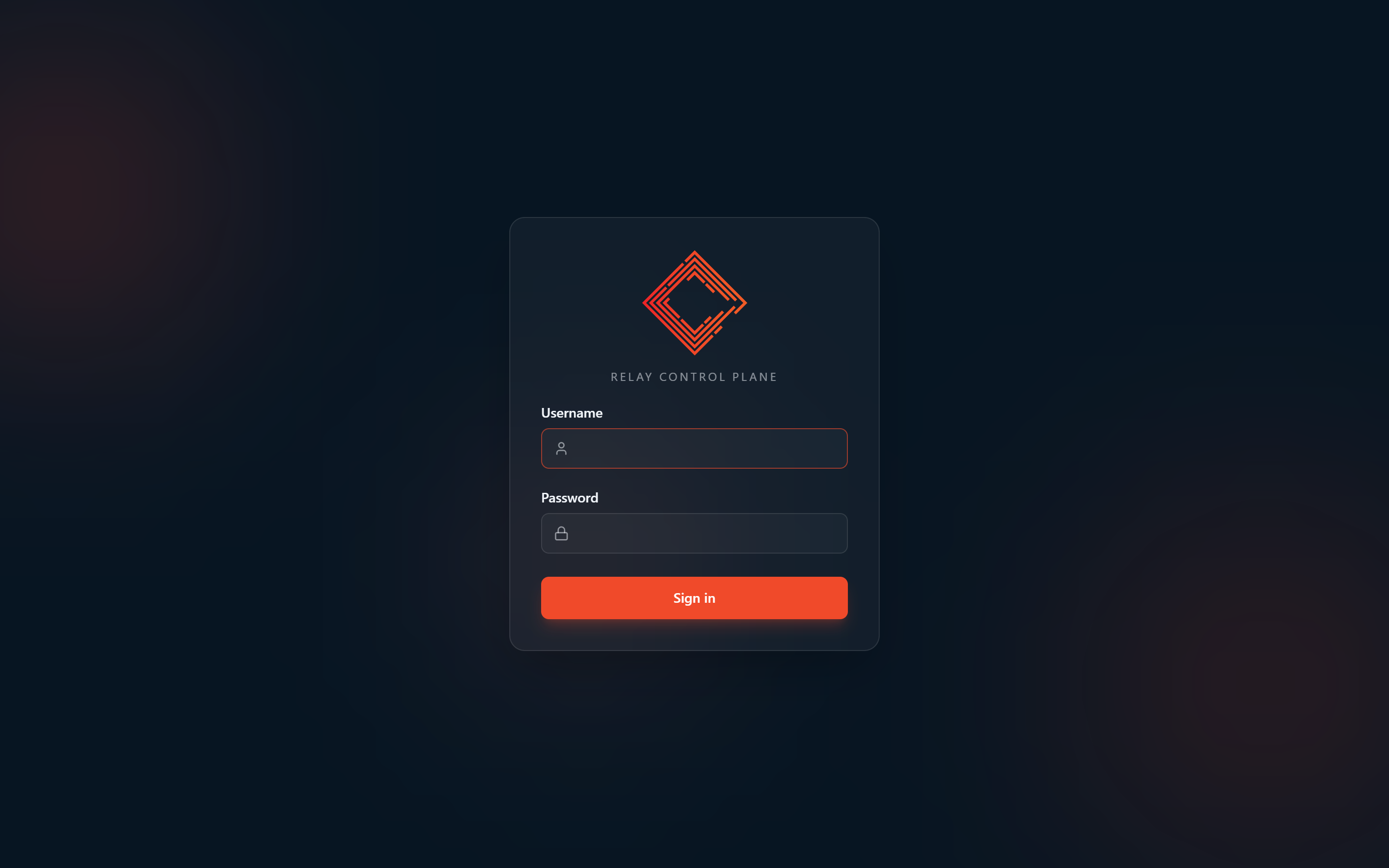
Open the control plane at http://localhost:8081, directly on Docker Compose
or through a port forward on Kubernetes, and sign in as admin with the
ADMIN_PW value. The panel shows a persistent warning while the default
password is in use. This section describes the wizard; the on premise pages
walk through it with screenshots, for
MTE Relay Server and for
MTE API Relay.
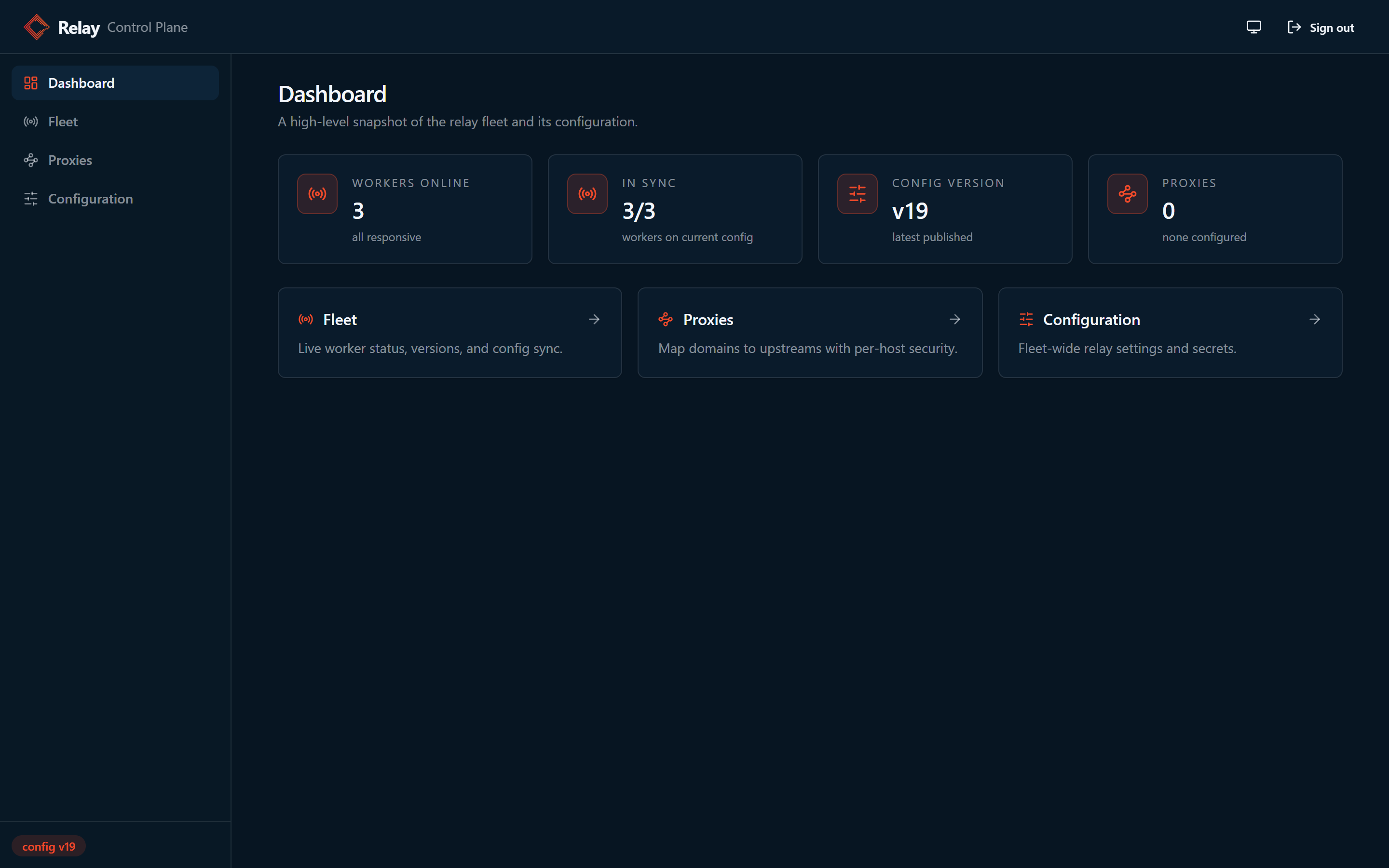
The dashboard says the installation is not configured and how many workers are connected and waiting. Choose Start setup on the dashboard, or Setup in the sidebar, which stays there until a routing map exists. When workers already route hosts from their own environment, the dashboard button reads Start migration. The wizard has five steps:
- Workers: the connected workers, and any hosts they already route from their own environment.
- License:
COMPANY_NAMEandLICENSE_KEY. - Hosts: each host clients send and its destination URL, with a client secret generated per host and shared by every worker.
- Advanced: every other setting, grouped as on the Configuration page.
Values supplied through
CONTROL_PLANE_SETUP_HINTSare prefilled and marked as coming from your deployment. - Review: every value that will be published.
Save and start workers runs a dry run, then publishes everything as one configuration version. The page follows each worker from waiting to ready, or to a specific error. Saving before any worker has connected is fine: the page says the configuration is saved and waiting for workers, and each worker starts from that version when it connects.
The draft lives only in browser memory. Refreshing or leaving the page discards it, and the page asks before you leave. If someone else saves meanwhile, your draft stays on screen and the save reports the version conflict.
Preset configuration instead of the wizard
An automated deployment, such as the
AWS Quick Deploy tool, skips the wizard by
handing the control plane its first configuration in
CONTROL_PLANE_INITIAL_CONFIG: a JSON object of setting name to value, with
the same names the Configuration page shows.
{
  "DOMAIN_MAP": {
    "relay.example.com": {
      "upstream": "https://api.example.com",
      "cors_origins": ["https://app.example.com"]
    }
  },
  "TRUSTED_PROXIES": "10.0.0.0/8,172.16.0.0/12,192.168.0.0/16"
}
- The control plane applies it once, at startup, when its data directory has never held a configuration. It then opens on the dashboard with the hosts in place, and Setup is not in the sidebar. Whenever a stored configuration exists, it logs that the stored version wins and ignores the variable, so a restart or a replacement task never undoes a change made in the panel. Change hosts later under Proxies, not in the variable.
- A string value is stored as it is. An object, array, number, or boolean is
stored as its compact JSON text, so
DOMAIN_MAPcan be written as an object, as above, instead of an escaped string. Empty strings andnullare left out. - Each host without a
client_id_secretgets a generated one, shared by every worker, as the wizard does. The other keys of each host are stored exactly as given. - Invalid JSON, a setting name the control plane does not know, or a value
that fails validation stops the control plane at startup with exit code 1
and a log line naming
CONTROL_PLANE_INITIAL_CONFIGand the setting. An orchestrator then reports a failed task, instead of running a fleet that waits for configuration. - The log line on success lists the setting names and the new version, never the values.
- The value can carry secrets, such as a
REDIS_URLwith its password, so pass it from a secret store, such as an ECS task definition'ssecretsor a Kubernetes Secret, rather than as plain text.
CONTROL_PLANE_SETUP_HINTS is the interactive counterpart: it only prefills
the wizard's Advanced step and saves nothing.
Managing configuration after setup
- Proxies edits
DOMAIN_MAPone host at a time, in routing, headers, security (the client secret), and CORS sections. - Configuration lists every setting with its live or restart badge, its default, and a reset. Every save runs a dry run first, and sensitive values stay masked until you reveal them. Service tokens and the session secret rotation live here too.
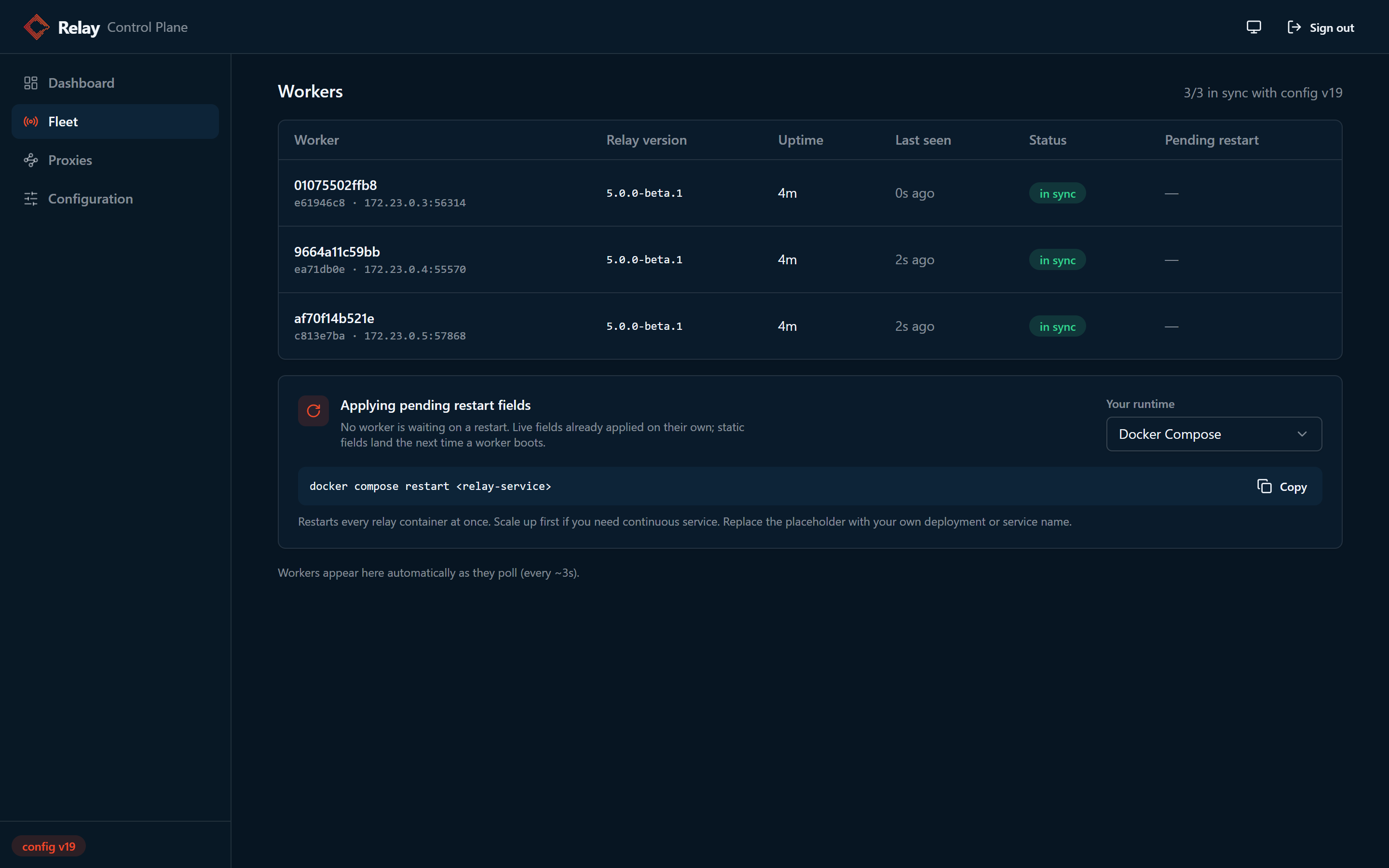
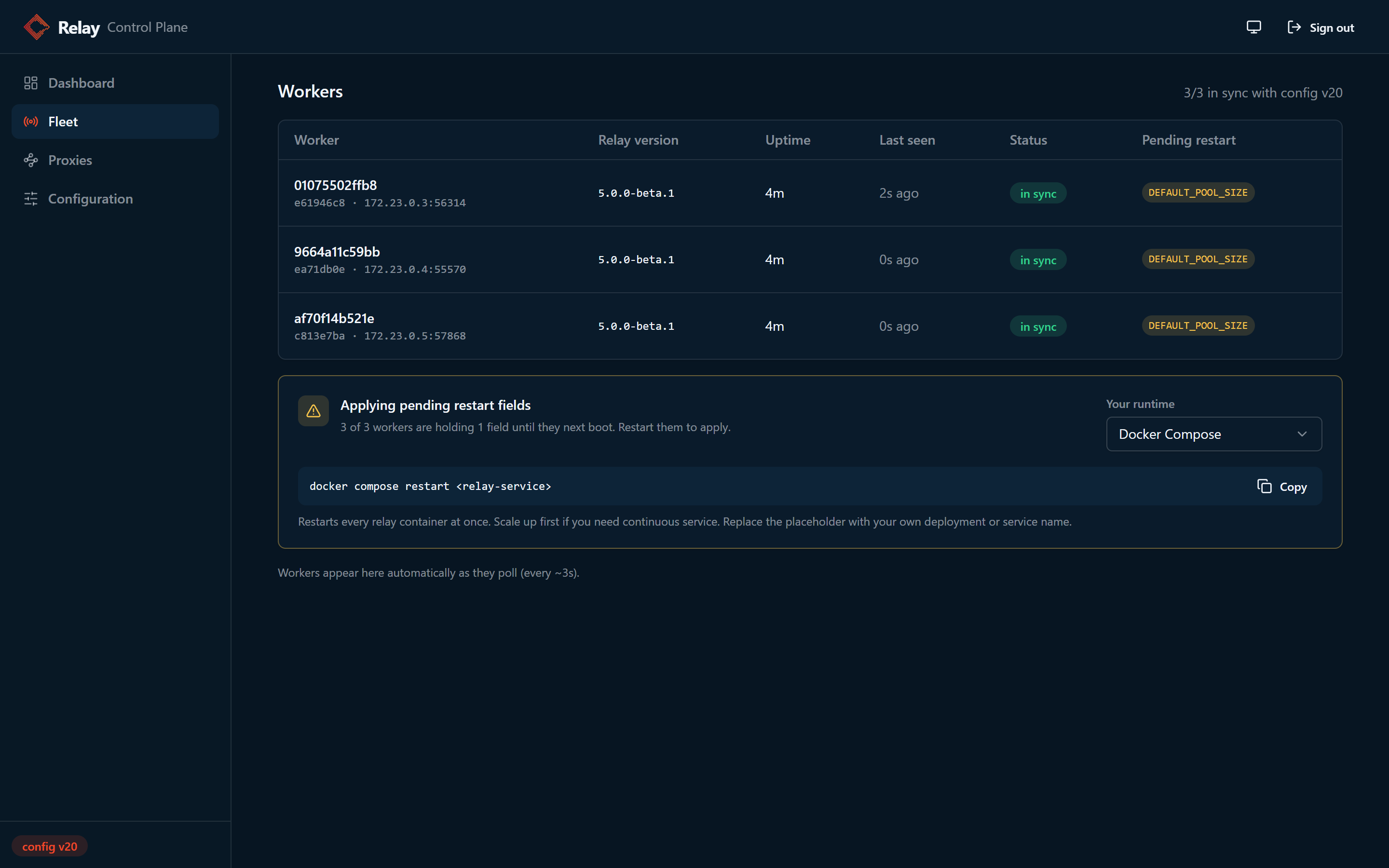
- Fleet shows every worker: version, status, pending restart fields, and the running configuration.
- History lists the last 50 versions with who changed which settings. Open a version, compare it with the current document, and roll back; a rollback installs the old document as a new version, so the version number only moves forward.
Live versus restart fields
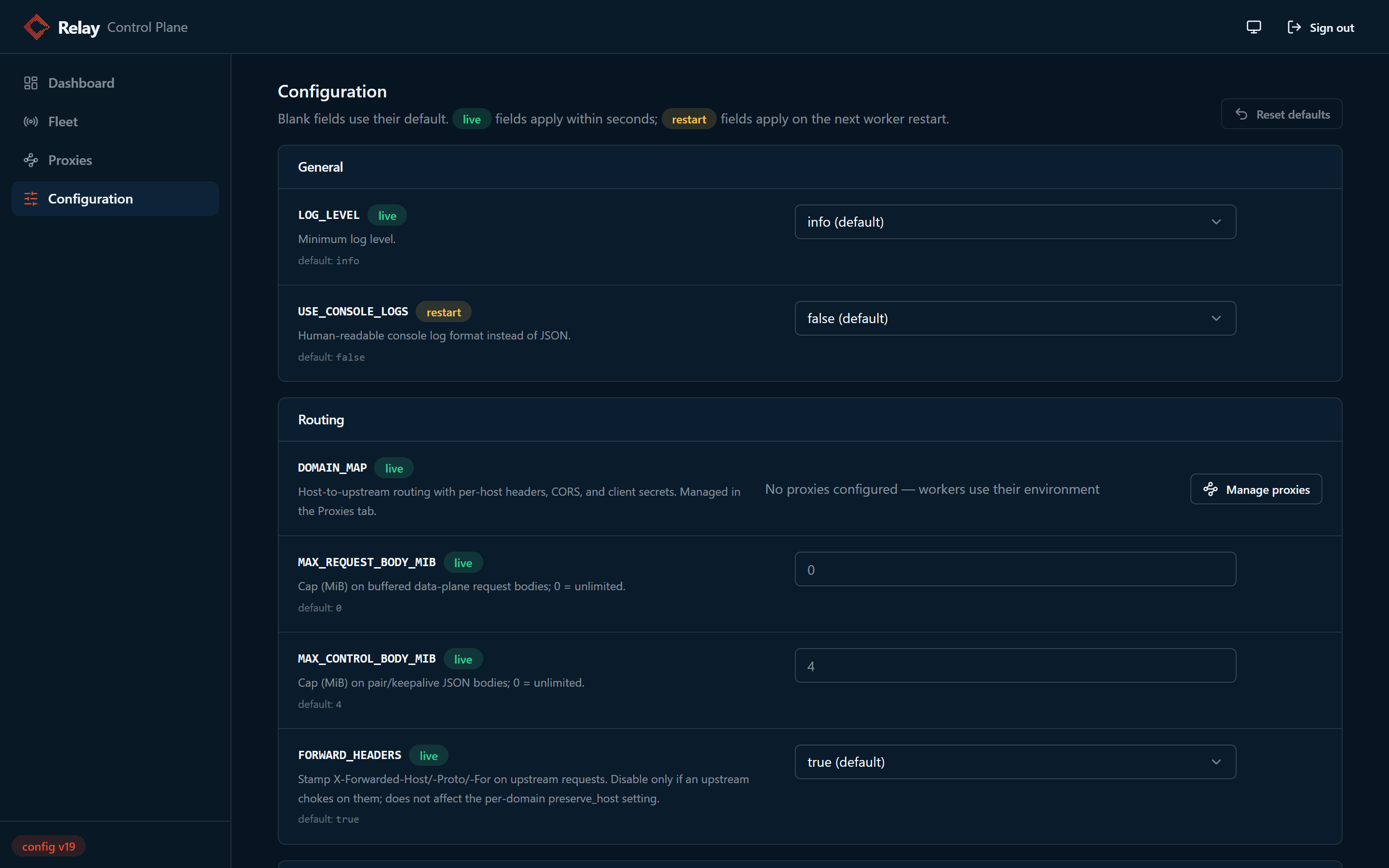
- live fields are read on the request path and apply within one poll
interval:
DOMAIN_MAP,LOG_LEVEL,MAX_REQUEST_BODY_MIB,MAX_CONTROL_BODY_MIB,FORWARD_HEADERS, andHEALTH_CHECK_PATH. - restart fields are read when a worker builds its runtime. A save stores the override at once, and each worker applies it the next time it starts. Workers fetch the configuration before they build anything, so an ordinary restart completes the change. Values entered during initial setup are part of a waiting worker's first start and are never reported as pending. A worker that was already serving from its environment reports them as pending until it restarts.
- Aliases and retired keys. The Server group names the listener as
LISTEN_HOSTandLISTEN_PORT, and the Protocol group holdsMAX_PAIR_BYTES.PORTandMAX_PAIR_MIBstay in the schema as aliases, so a document written for 4.x still validates; the canonical key wins when both are stored, and each worker logs the disagreement once.HOSTNAMEandSTATE_MODEare retired: a save drops them with a warning instead of refusing the document, and a worker that still receives one ignores it with a warning.
The Fleet page shows which workers still hold pending restart fields and offers the restart command for your runtime:
| Runtime | Command |
|---|---|
| Kubernetes | kubectl rollout restart deployment/<relay-deployment> |
| OpenShift | oc rollout restart deployment/<relay-deployment> |
| Docker Swarm | docker service update --force <relay-service> |
| Docker Compose | docker compose restart <relay-service> |
| Amazon ECS | aws ecs update-service --cluster <cluster> --service <relay-service> --force-new-deployment |
| systemd or bare process | systemctl restart <unit> |
Workers report a coarse runtime: kubernetes, ecs, docker, or host.
Nothing inside a container can tell OpenShift from Kubernetes, or Swarm from
Compose, so set RELAY_RUNTIME on the workers to one of kubernetes,
openshift, swarm, compose, ecs, or host, the ids the panel matches to
the rows of the table. It is display only. The control plane never
talks to your orchestrator and holds no cluster credentials, so it cannot
restart workers for you.
What each worker is running
Expand a worker on the Fleet page to see every setting's running value and
where it came from: a control plane override, the worker's environment, or the
default. Workers report this themselves when the control plane asks. Sensitive
values never leave the worker: the license key, the Redis URL, and client
secrets inside DOMAIN_MAP are replaced by keyed fingerprints, so the panel can
show that two workers run the same value without holding it.
When something goes wrong
-
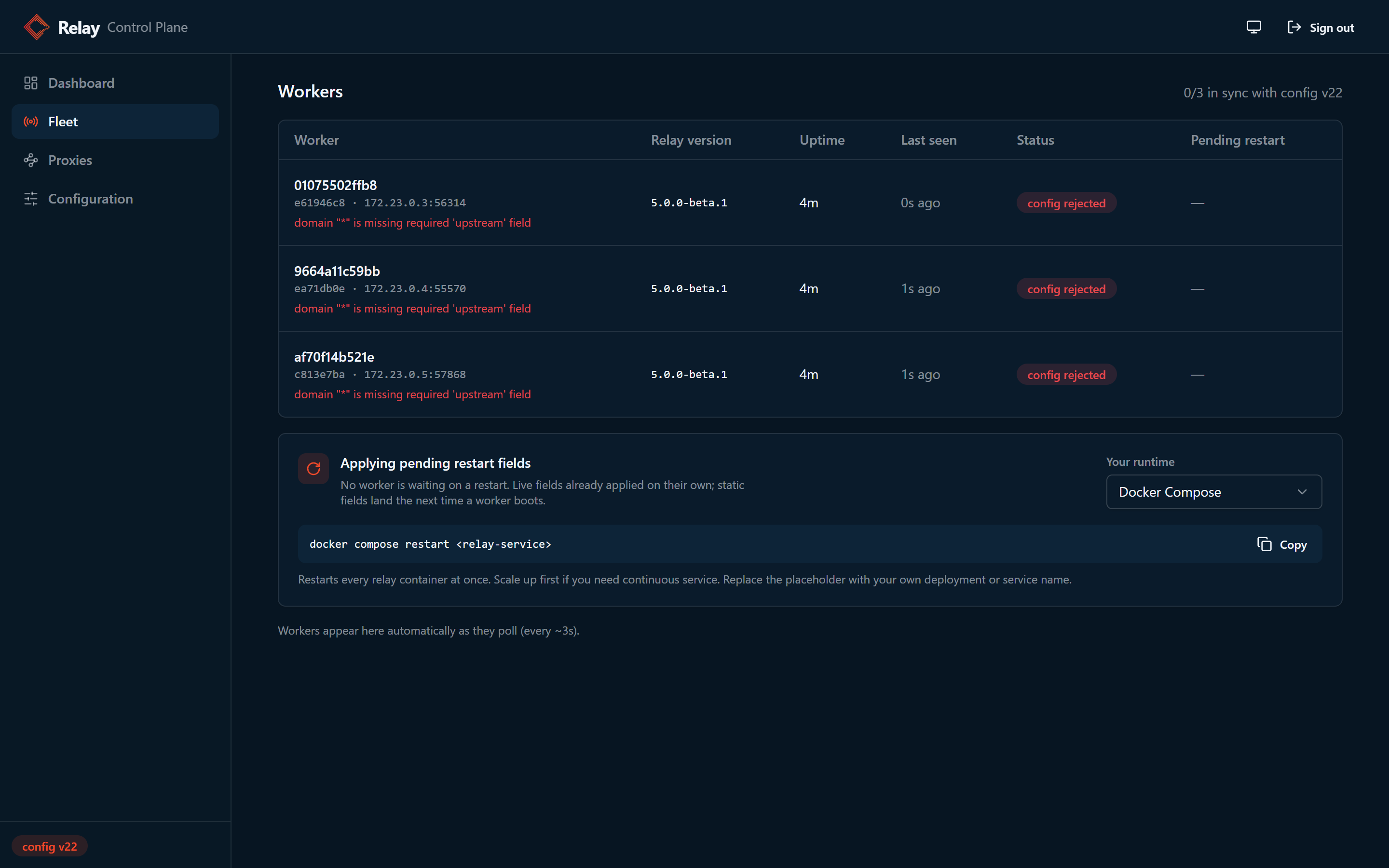
A worker rejects the document. It keeps its current configuration, reports the error, and retries when the document changes. Fix the field and save, or roll back from History.
-
Mixed version fleets. A worker older than the control plane skips override keys its build does not know, applies the rest, and the Fleet page lists the keys it is not applying. An invalid value for a known key still rejects the whole document.
-
The control plane is down. Workers keep serving their last applied configuration and catch up on the next poll after it returns.
| Symptom | Cause and fix |
|---|---|
| Worker shows waiting for configuration | Expected before the first save. Run Initial setup, or add a host under Proxies. |
Worker exits with CONTROL_PLANE_URL is set but CONTROL_PLANE_TOKEN is empty | Set the token on the worker. A token without a URL fails the same way. |
Worker exits with DOMAIN_MAP: is not set | No control plane is configured and the environment has no map. Set CONTROL_PLANE_URL and CONTROL_PLANE_TOKEN, or DOMAIN_MAP. |
| Worker missing from Fleet | The worker cannot reach CONTROL_PLANE_URL, or the tokens differ. A worker without an environment DOMAIN_MAP answers 503 on /readyz with the reason control_plane_unreachable or control_plane_unauthorized. One that has an environment map serves from it and answers 200, so check its logs. |
| Change has no effect | It is a restart field. Restart the workers. |
| Control plane exits at startup | CONTROL_PLANE_TOKEN is unset, or the data directory is not writable. |
Backup and restore
Everything the control plane stores lives in CONTROL_PLANE_DATA_DIR:
overrides.json, the stored configuration and its version. This is the file that matters.history/, one snapshot per version, the last 50. Rollback reads these.agent_tokens.json, the service token records, stored as hashes. Losing it revokes every service token.admin_jwt_secret, the session signing secret. Losing it only signs every admin out.
Writes are atomic, so a copy taken at any moment is valid. After a bad edit, roll back from History first. Take a manual backup before upgrades, because the snapshots live on the same volume as the document they protect.
Export through the API, which works on every runtime:
TOKEN=$(curl -s -X POST http://localhost:8081/api/login \
  -H 'Content-Type: application/json' \
  -d '{"username": "admin", "password": "<ADMIN_PW>"}' | jq -r .token)

curl -s -H "Authorization: Bearer $TOKEN" \
  http://localhost:8081/api/config > overrides-backup.json
Or copy the file off the volume. The image is distroless, so there is no shell
or tar inside it: docker cp and podman cp work because the engine does the
copying, while kubectl cp against the control plane pod does not.
docker cp "$(docker compose ps -q control-plane)":/data/overrides.json ./overrides.json.bak
Restore through the API with a forced write. If-Match: * replaces whatever is
stored, and the write is audited like any other save:
curl -s -X PUT http://localhost:8081/api/config \
  -H "Authorization: Bearer $TOKEN" \
  -H 'If-Match: *' \
  -H 'Content-Type: application/json' \
  -d "{\"overrides\": $(jq .overrides overrides-backup.json)}"
Or stop the control plane, put the saved overrides.json back in
CONTROL_PLANE_DATA_DIR, and start it again. Workers pick up the restored
document on their next poll; restart fields still need a worker restart.
Security
- Keep the control plane on an internal network and terminate TLS in front of it. Its API carries the license key, client secrets, and the Redis URL in both directions.
- Change
ADMIN_PWfrom the default before anyone can reach the panel. - Admin sessions use a 15 minute sliding window with an 8 hour absolute limit. The session signing secret can be rotated from Configuration, which signs out every admin.
- After five failed logins in a row, each further failure doubles a shared
lockout window from 10 seconds up to 5 minutes, and every attempt during the
window gets
429withRetry-After. - Service tokens give automation a named, scoped, expiring credential instead
of the admin password. A
readtoken sees fingerprints in place of secrets. CONTROL_PLANE_TOKENauthenticates only the worker routes, and no poll can change configuration. The poll answer does contain the full document, secrets included, so store the token as a secret.- Every accepted write is logged with the caller, the new version, and the names of the changed settings, never their values. Keep the control plane logs, because the log stream is the audit record.
- For two or more workers behind a load balancer, set an explicit
client_id_secretper host. When an update omits a host's secret, workers keep the secret they already hold, so an edit never breaks active pairings.